Skip to content

Business Integrations

Your systems, connected — and dependable.

We connect the software your business runs on so information moves automatically, stays consistent and no longer depends on someone copying it from one screen to another.

A shop owner rings up a sale on a tablet point-of-sale system beside a card reader.

Overview

What we deliver

Most businesses run on several pieces of software — a CRM, a scheduling tool, a payment processor, accounting software and a website — and each one holds part of the picture. When those systems are not connected, people fill the gaps by copying information between them, and the records slowly drift apart.

We build integrations that move information automatically and consistently. Before writing any code, we map which system owns each piece of data, what should happen when records change and who needs to know when something goes wrong. That planning is what keeps integrations dependable long after launch, not just on the day they go live.

Reliability is built in from the start. Connections retry automatically when a service is temporarily unavailable, every transfer is logged, incoming messages are verified as genuine, and your team is alerted when something needs attention. The result is a set of systems you can trust to stay in sync without someone checking them by hand.

Business problems

What this solves

The issues we hear most often from businesses before a project like this begins.

  • Double entry everywhere

    The same customer, order or appointment is typed into several systems, and every copy is another chance for a mistake.

  • Records do not match

    Your CRM, accounting software and scheduling tool each tell a slightly different story, and reconciling them takes hours.

  • Integrations fail silently

    A connection stops working and nobody notices until a lead, a payment or a booking has already been missed.

  • Useful tools sit in isolation

    Software that could save time stays underused because it is not connected to the rest of your systems.

Features & capabilities

What's included

  • API integrations

    Connect business systems through their APIs, with field mapping, validation and clear rules for which system owns each piece of data.

  • CRM integration services

    Bring leads, customers and activity into your CRM from your website, forms and other tools — complete and ready to work.

  • Payment integrations

    Connect payment processors to your website, portals, CRM and accounting software so payments, invoices and records stay aligned.

  • Scheduling integrations

    Keep appointments, availability and bookings in sync between scheduling tools, calendars and the systems your team works in.

  • Data synchronization

    Keep customer, order and inventory records consistent across systems, on a schedule or as changes happen.

  • Third-party software connections

    Connect the specialized tools your industry relies on, including those with limited APIs, using the most dependable method available.

  • Automatic retries and error alerts

    When a connected system is temporarily unavailable, requests are retried automatically, and your team is alerted if something still needs attention.

  • Logging and webhook verification

    Every transfer is logged for troubleshooting, and incoming notifications are verified so only genuine messages from your providers are accepted.

Example use cases

Where it fits

  • Website to CRM

    Form submissions and booking requests delivered into your CRM with the right fields, source and owner, ready for follow-up.

  • Payments to accounting

    Payments from your website or customer portal recorded automatically in your accounting software and matched to the right customer.

  • Scheduling across systems

    Appointments booked online appear in the CRM, the team calendar and the dispatch view without manual updates.

  • Multi-location data

    Locations using different tools feed one consistent set of records for reporting and day-to-day operations.

Related projects

View Our Work
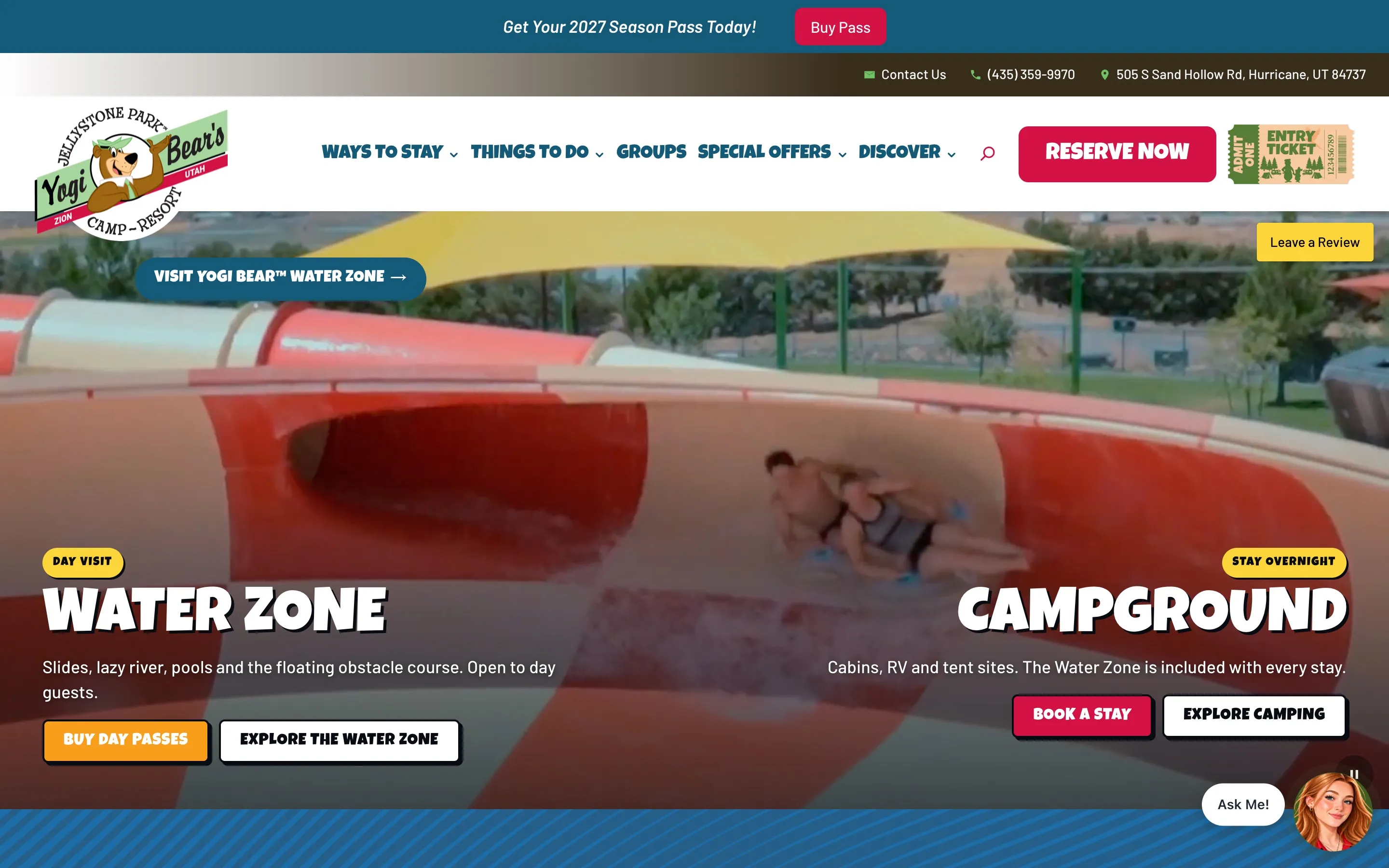
The new Jellystone Park Zion homepage with Water Zone and Campground panels and Reserve Now buttons.
Outdoor Hospitality / RV Resort Launching soon

Jellystone Park Zion

A rebuilt website for a family camp-resort near Zion

A new website for Jellystone Park™ Zion, a family RV resort, campground and water park near Zion National Park, with a guided "Build Your Stay" planner that hands guests off to booking.

  • Custom Websites
  • Integrations
  • Custom Software
allstarcoolingheating.com
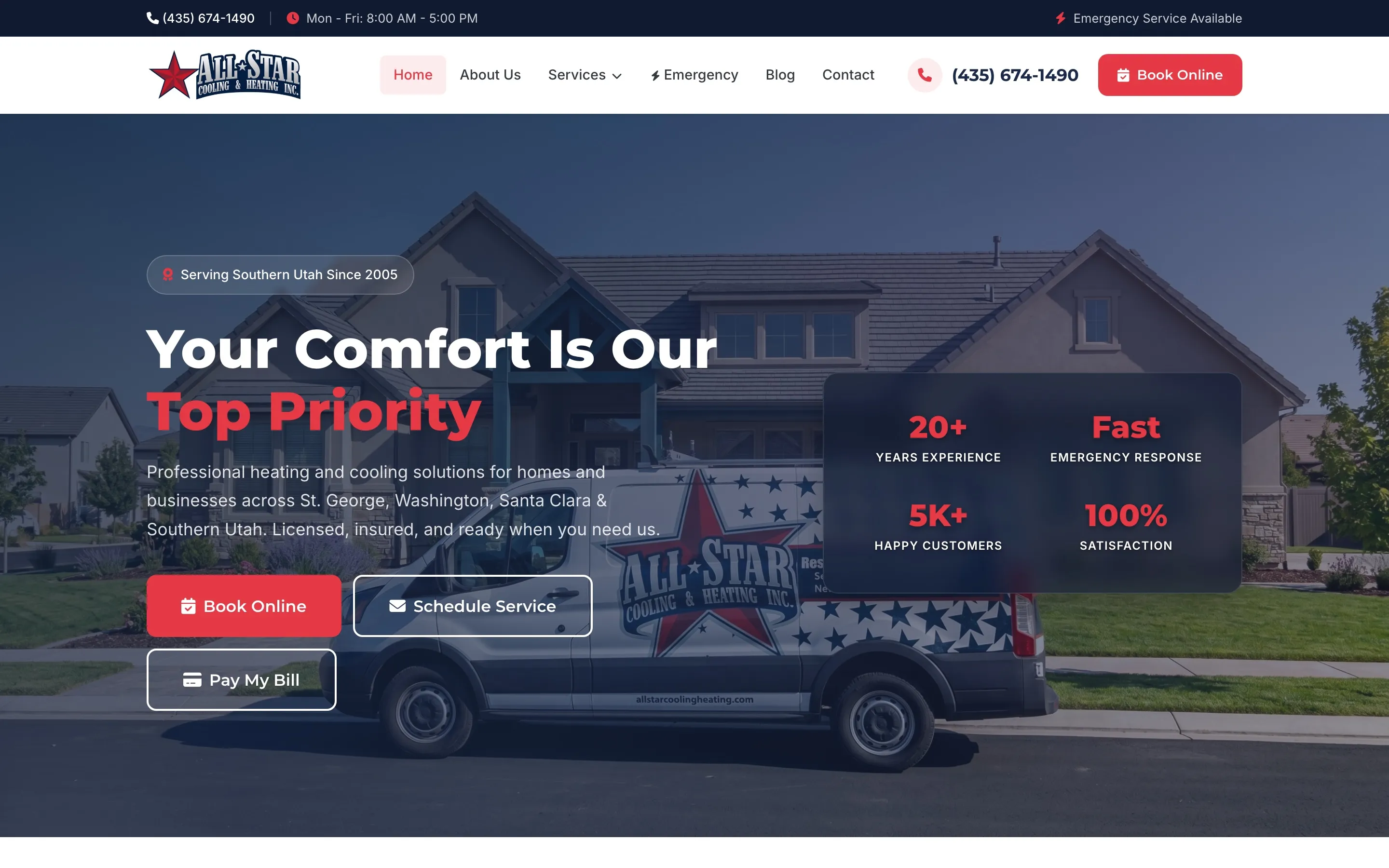
All Star Cooling & Heating homepage with the headline "Your Comfort Is Our Top Priority" and buttons to book online, schedule service and pay a bill.
HVAC / Home Services

All Star Cooling & Heating

A website and custom CRM that run an HVAC company's day

A service-first website connected to a custom CRM that manages service requests, online bookings, technicians, new-construction work orders and customer texting for a residential and commercial HVAC company.

  • Custom Websites
  • Custom CRM
  • Integrations

How we work

Our development process

Every engagement follows the same disciplined path from first conversation to ongoing improvement.

  1. Step 01

    Discover

    Understand the business, existing systems, and the problems worth solving first.

  2. Step 02

    Design

    Plan the solution, the data and the user experience before writing production code.

  3. Step 03

    Build

    Develop, integrate and test the technology in focused, reviewable increments.

  4. Step 04

    Optimize

    Launch, support and keep improving based on how the system is actually used.

Related services

Custom CRM systems and CRM configuration that keep every customer, deal and follow-up organized around how your team actually sells and serves.

Targeted programming for specific technical needs — scripts, fixes, extensions, integrations and modernization for the software your business already runs on.

Business dashboards and reporting that give leadership one trusted set of numbers, refreshed automatically from the systems you already use.

FAQ

Frequently asked questions

Have a question that isn't covered here? Get in touch.

Can you connect the software we already use?

In most cases, yes. We review each system's API, webhooks and export options, then recommend the most reliable way to connect them. If a system has limited integration options, we explain the trade-offs before any work begins.

What happens when an integration fails?

We plan for it. Integrations retry automatically when a connected system is temporarily unavailable, log every attempt and alert your team when something needs attention. Problems become visible and fixable instead of quietly losing data.

How do you keep integrations secure?

We use each provider's recommended authentication, store credentials securely, verify incoming webhooks and limit each connection to the data it needs. Payment integrations use your payment processor's own secure tools, so card details are handled by the processor rather than stored in your systems.

Should we use an off-the-shelf automation tool or a custom integration?

Both have a place. Simple, low-volume connections often work well with off-the-shelf automation tools. When an integration carries important data, needs custom logic or must hold up at volume, a custom integration with proper error handling is usually the better choice. We help you decide which fits each connection.

Can you fix integrations someone else built?

Yes. We review how the existing connection works, identify where it is failing or fragile, and either repair it or rebuild it with proper logging, retries and alerts.

Have a project in mind? Let's build the solution.

Tell us what you're trying to accomplish. We'll help you determine the right technology to get there.