Skip to content

AI Automation

Practical AI, applied to the work your team already does.

We build AI assistants and automated workflows around real business processes — designed to be reviewed, measured and trusted, with your team in control of the decisions that matter.

An insurance agency owner reads an organized summary of customer messages on her laptop over morning coffee.

Overview

What we deliver

AI is most useful when it is applied to a specific, well-understood part of your business. Rather than starting with a tool and looking for a problem, we start with the work: the requests that pile up, the information that gets retyped, the reports that take too long to assemble. Then we identify where AI business automation can reliably take on the repetitive parts.

Every system we build is designed to be reviewable. AI prepares, classifies and drafts; your team approves anything that affects customers, money or records. Automated steps are logged, uncertain cases are routed to a person, and the data each automation can see is limited to what the task actually requires.

Because AI automation depends on good data and connected systems, it fits naturally alongside the CRMs, integrations and custom software we build. The result is not a side experiment, but a practical part of your operations that your team understands and can rely on.

Business problems

What this solves

The issues we hear most often from businesses before a project like this begins.

  • Repetitive work is consuming your team's time

    Staff spend hours on data entry, sorting requests, writing routine replies and moving information between systems.

  • Customer questions pile up

    The same questions arrive through email, chat and web forms, and response times slip whenever the team gets busy.

  • AI use without a plan

    Team members experiment with AI tools on their own, with no shared process, no review and no clarity about where business data ends up.

  • Reporting takes too long

    Pulling numbers together and summarizing what happened each week is manual work that delays decisions.

Features & capabilities

What's included

  • AI assistants

    Internal assistants that answer questions from your own documents, policies and records, so staff find what they need without digging.

  • Business process automation

    Automate the repetitive steps in intake, data entry, scheduling and handoffs, connected to the systems your team already uses.

  • Intelligent workflows

    Workflows that read, classify and route incoming requests, documents and messages — and escalate anything uncertain to a person.

  • AI communication systems

    Draft replies, summaries and follow-ups prepared from the context of each conversation, reviewed by your team before anything sensitive is sent.

  • Customer support automation

    Handle common questions and requests across email, chat and web forms, with a clear handoff to your team when a person is needed.

  • AI-powered reporting

    Plain-language summaries of what changed in your numbers, built on top of reporting you can check and verify.

  • Human review and approvals

    Review steps, approval queues and activity logs that keep people in control of decisions affecting customers, money or records.

  • Careful data handling

    Clear rules for what data each automation can access, where it is processed and what is retained, set around your privacy and security requirements.

Example use cases

Where it fits

  • Lead and inquiry intake

    Classify incoming inquiries, capture key details in your CRM and route each one to the right person with a suggested reply.

  • Service request triage

    Sort maintenance and service requests by urgency and type for property management and HVAC teams, with staff confirming before dispatch.

  • Document processing

    Pull information from forms, contracts and invoices into structured records, flagging anything that needs a closer look.

  • Operations summaries

    Scheduled summaries of activity, revenue and open issues across teams or locations, delivered to leadership automatically.

Related projects

View Our Work
lotledger.org
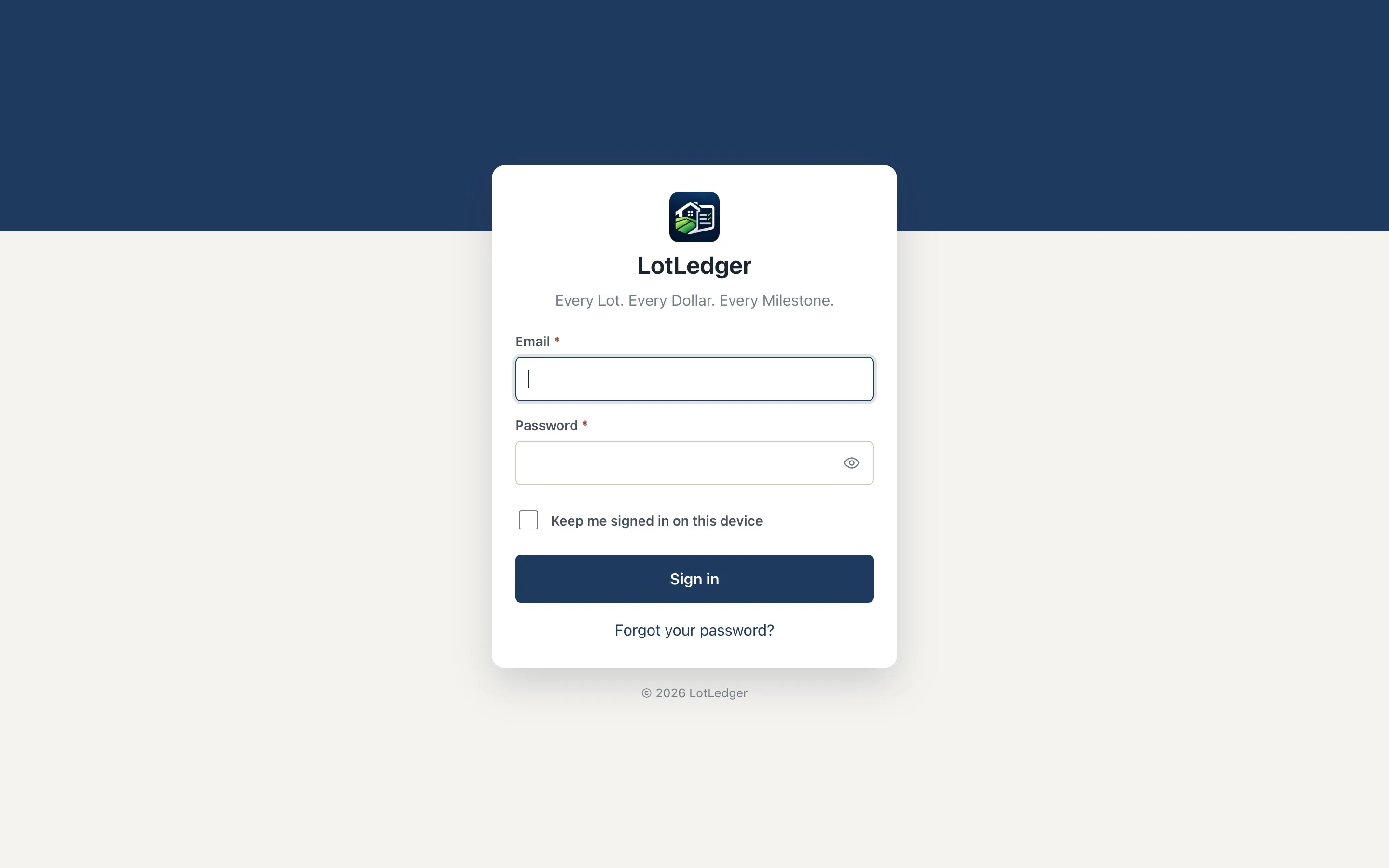
The LotLedger sign-in screen with the tagline "Every Lot. Every Dollar. Every Milestone."
Real Estate / Land Development

LotLedger

A web app that tracks every lot, dollar and milestone

A land-development operations platform for LotLedger that tracks subdivisions, phases and lots from acquisition to recording — with builder takedowns, loans, permits, documents, alerts and a built-in AI assistant.

  • Web Apps
  • Custom Software
  • Dashboards
  • AI Automation

How we work

Our development process

Every engagement follows the same disciplined path from first conversation to ongoing improvement.

  1. Step 01

    Discover

    Understand the business, existing systems, and the problems worth solving first.

  2. Step 02

    Design

    Plan the solution, the data and the user experience before writing production code.

  3. Step 03

    Build

    Develop, integrate and test the technology in focused, reviewable increments.

  4. Step 04

    Optimize

    Launch, support and keep improving based on how the system is actually used.

Related services

Custom AI voice agents that answer calls, book appointments, qualify leads and hand off to your staff — connected to your CRM, calendar and phone system.

Custom CRM systems and CRM configuration that keep every customer, deal and follow-up organized around how your team actually sells and serves.

Dependable connections between your CRM, payment, scheduling and business systems, so information moves on its own instead of being re-entered by hand.

FAQ

Frequently asked questions

Have a question that isn't covered here? Get in touch.

Where should a business start with AI automation?

With a real process, not a tool. We look for work that is repetitive, well understood and time-consuming — intake, triage, routine replies, data entry — and start there. A focused first automation is easier to measure, easier to trust and a stronger foundation for what comes next.

Does the AI make decisions on its own?

Only where you decide it should. Most of the systems we build keep a person in the loop for anything that affects customers, money or records. The AI prepares, sorts and drafts; your team reviews and approves. Automated actions are logged so you can see what happened and why.

How do you handle our business data?

Data handling is part of the design from the first conversation. We limit what each automation can access, choose providers and settings that suit your requirements, and document where data goes and how long it is kept. Sensitive information is only included when there is a clear reason for it.

What happens when the AI gets something wrong?

We design for it. Automations include review steps, checks on uncertain results and fallbacks to a person, and we test against real examples from your business before launch. After launch, logs and team feedback make it straightforward to spot issues and improve the system.

Can AI answer our phone calls?

Yes. We build custom AI voice agents that answer calls, book appointments and hand off to your team, and connect them to your CRM so every call starts the right follow-up. For a ready-made AI receptionist, our related product SynthVoice.ai is also available.

Have a project in mind? Let's build the solution.

Tell us what you're trying to accomplish. We'll help you determine the right technology to get there.